Your Excel books, updated from WhatsApp
Your books are in an Excel file on the office PC, and you're rarely at the office. This lets approved people update the file from WhatsApp, and nothing is written without a preview and a confirmation.
$500 fixed price Get in touch
No sound. Running on sample data: the companies, people and numbers are made up.
What you get
- Invoices, payments and expenses added to your Excel file from a plain message, like “Add invoice for Gulf Star, 12,500 AED, due 30 Nov”.
- A preview of the exact row before anything is written, and the updated file sent back in the chat afterwards.
- Answers from the file, like how much a customer still owes.
- Undo from the chat, with every earlier version of the file kept.
- A log of every message, change and refusal.
What it won’t get wrong
- It won’t write without your say-so. Every change needs “YES” with a one-time code, from the same number, within 10 minutes.
- It won’t listen to strangers. Only approved numbers are read, and each can either change the file or only ask.
- It won’t break your formulas. It only adds rows, and totals are worked out in code, never by the AI.
- It won’t guess which invoice. If a customer has two unpaid invoices, it asks. A payment bigger than what is owed is refused.
- It won’t save over your work. If the file is open in Excel, it says so and waits.
What it needs from you
- A WhatsApp number for the bot, on WhatsApp’s official Business API.
- The Excel file, and the PC or synced folder that holds it.
- The list of numbers allowed to use it.
- An account with the AI provider. Reading a message costs a fraction of a cent.
In the video
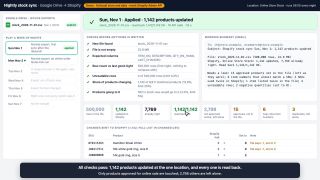
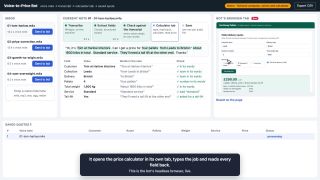
The sample company’s ledger gets a new invoice, then a payment after the bot asks which of two unpaid invoices is meant. An overpayment is refused, a question is answered from the file and a change is undone. A message from a number that isn’t approved gets no reply.
The messages are typed into a phone on the page, which sends them in WhatsApp’s own format.
Want this, or something like it?
As shown here it costs $500, fixed price. That covers setting it up on your WhatsApp number and your real Excel file, with your approved numbers, the previews and codes, kept versions and the log, installed on the PC that holds the file. If your version is different, you get a fixed price for yours before any work starts. The code is yours.
Thanks, it's on its way.
If I pick your task, I'll email you.
How WhatsApp to Excel automation works
Which WhatsApp a program can use
There are three WhatsApps. The ordinary app and the WhatsApp Business app are made for people typing on a phone. Programs are meant to use the third one, the WhatsApp Business Platform, which most people call the WhatsApp API. Meta runs it, and you get access through a Meta business account.
The API needs a phone number of its own. A number registered for the API can’t be used in the WhatsApp apps at the same time, and a number that is already active on WhatsApp has to be removed from the app before it can be registered. In practice the bot gets a new number, and your people message that number from their own phones.
There is a shortcut that looks tempting. A script can drive WhatsApp Web or the desktop app, clicking and reading the screen as a person would. It works until WhatsApp changes its screens, and WhatsApp can block a number that is run this way. I would only use it when keeping an existing number matters more than reliability.
What it costs to send
Meta charges for the API per delivered message, and the rate depends on the kind of message and the recipient’s country. Replies to someone who wrote to you first count as service messages, and every number gets 1,000 of those free each month. A bot that handles a few changes a day stays inside that. Messages you start yourself, such as reminders, have to use templates approved by Meta, and those are charged.
How a message gets from WhatsApp to your office
WhatsApp doesn’t wait to be asked. When a message arrives, Meta sends it to a web address you have registered, called a webhook. That address has to be reachable from the internet over HTTPS with a proper certificate. An office PC isn’t, so it needs a small secure tunnel, or a relay in the cloud that passes the messages on.
Two details matter here. Each delivery is signed, so the program can check that it really came from Meta and not from someone who found the address. And if the program doesn’t confirm that it received a message, Meta sends it again, several times over the next day and a half. A bot that doesn’t recognize repeats would record the same payment twice.
Who is allowed to use it
WhatsApp tells the program which number each message came from, and the sender can’t change that. The bot keeps a list of approved numbers, and each one is set to either change the file or only ask questions. A message from any other number is logged and gets no reply. It is never even shown to the AI.
How the AI reads a message
“Gulf Star paid 5k yesterday” is easy for a person and impossible for a classic program, which needs fixed commands. A language model closes that gap. It gets the message and a fixed form to fill in, with what is being asked, for which customer, what amount and what date. It returns the form and nothing else.
Language models make two kinds of mistake that matter in bookkeeping. They can misread a number, and they can fill a gap with something that merely sounds right. So the model is never trusted on its own. It has to quote the words in the message that each value came from, and ordinary code checks that those words are really there and really say that.
The model also does no arithmetic. Adding, subtracting and totals are done in code, where 12,500 minus 5,000 is always 7,500.
How a program edits an Excel file
A program can open and change an .xlsx file without Excel being installed. It adds a row and saves, and Excel recalculates the formulas the next time someone opens the file. That is why a careful bot only adds rows and never writes into a formula cell. Paid, Balance and the totals stay formulas, and they pick up the new row by themselves.
Three things can go wrong on the way, and each has a plain answer. If someone has the file open in Excel, saving over it would lose their work, so the bot waits and says so. If a save is interrupted, a half-written file would be useless, so the bot writes a complete copy first and swaps it in. And if a change turns out to be wrong, the previous version is still there, because every version is kept.
If the file lives in OneDrive or SharePoint there is a second route. Microsoft’s Graph API can change a workbook where it is stored, with no PC in the office involved.
Why every change needs a second step
A message is easy to send by accident, and a phone can be in the wrong hands. So the bot never writes on the first message. It replies with the exact row it will add, the figures before and after, and a short code. Only the same number sending YES with that code, within ten minutes, makes the change. A bare “yes” does nothing.
Around that sits a log of every message, preview, change and refusal. Each line carries a fingerprint of the line before it, so a line that is edited or removed later shows up when the chain is checked.
Excel, Google Sheets or accounting software
A spreadsheet is a fine ledger for a small company with one person who understands it. This kind of bot fits when that file is staying, and the only problem is that the person is rarely at the desk.
If several people edit the books at the same time, Google Sheets handles that better, and it is also simpler for a program to write to. If you need tax reports, bank feeds or access for an accountant, that is the point to move to accounting software. A WhatsApp front end can sit on that too.