DeepSeek V4.1 Flash Is Cheap, If You Do the Thinking
Same app, same model, two results. DeepSeek V4.1 Flash cost as much as V4 Pro with a short prompt, and $0.17 with a detailed spec.
DeepSeek V4.1 Flash built the same app as V4 Pro for $0.17 instead of $0.65. But only on the second try. The first time, with the exact prompt V4 Pro got, it cost the same, took almost twice as long, and wrote five times more code.
Same model, same app. The only thing I changed was the prompt.

Why test Flash at all
V4.1 Flash is the newest DeepSeek release, and it’s everywhere: praised in reviews, on top of the open-weights benchmarks. It looked so good that DeepSeek planned to retire V4 Pro and send everyone to Flash. Then they backed off. V4 Pro stays.
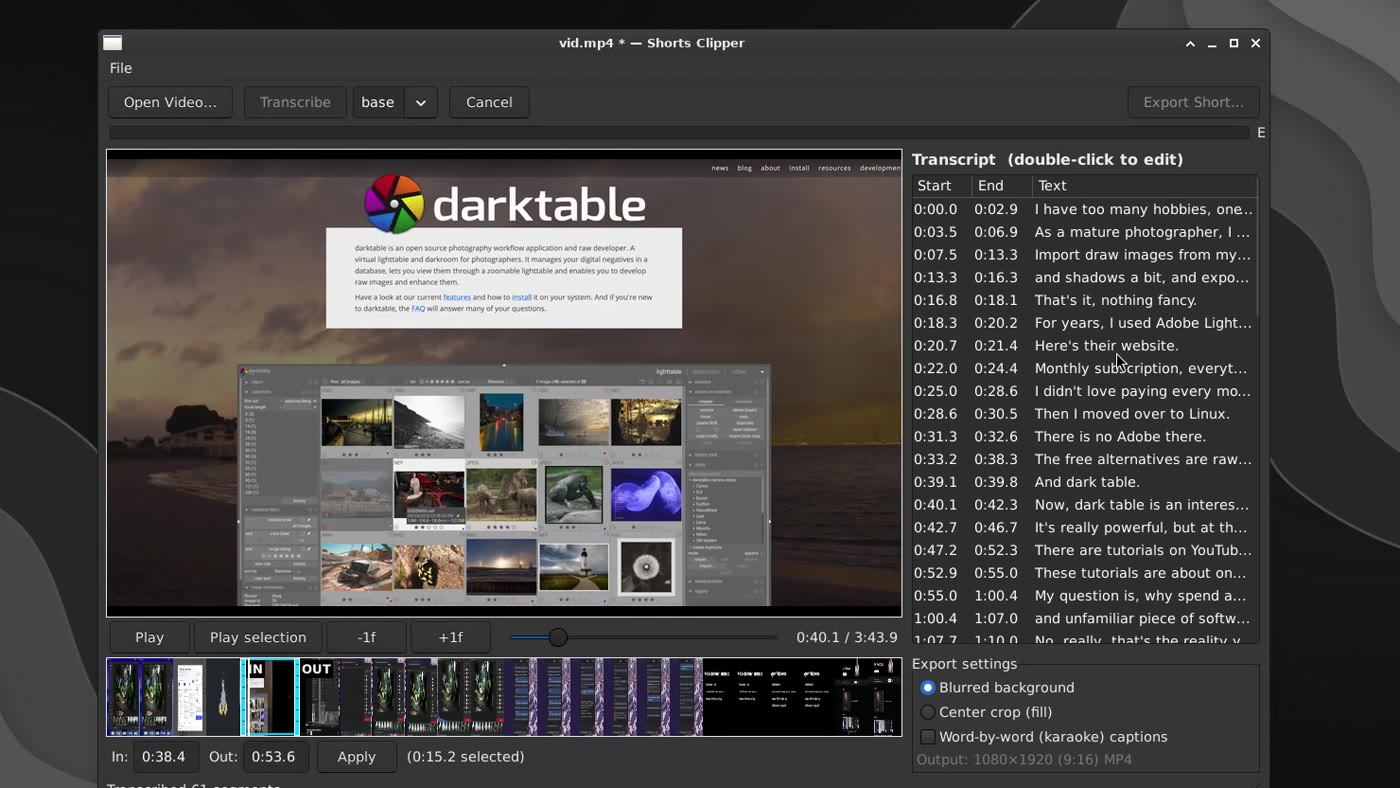
I wanted to know why, and another benchmark wasn’t going to tell me. I needed a real app I had already built with V4 Pro, so I’d know the prompts, the problems the agent ran into, the time it took and the total token cost. I had one: the Shorts Clipper I built in August for $0.65.
Gritcode can load an old session with every prompt, response, and tool call intact, so I could replay the same build with Flash and compare the two runs directly.
Test 1: the same short prompt
I gave Flash the exact prompt V4 Pro got:
yup, this directory is now empty - let’s build the project. A wxPython app, using venv, that can read a video, transcribe its text, and generate a youtube short clip (vertical) from a selected range, with automatic subtitle rendering
Twenty-five minutes in, it announced the app was ready. It wasn’t. The file dialog couldn’t even list MP4 files, the export dialog had no export button, and the toolbar had a button to generate test videos. In the app. For the user.
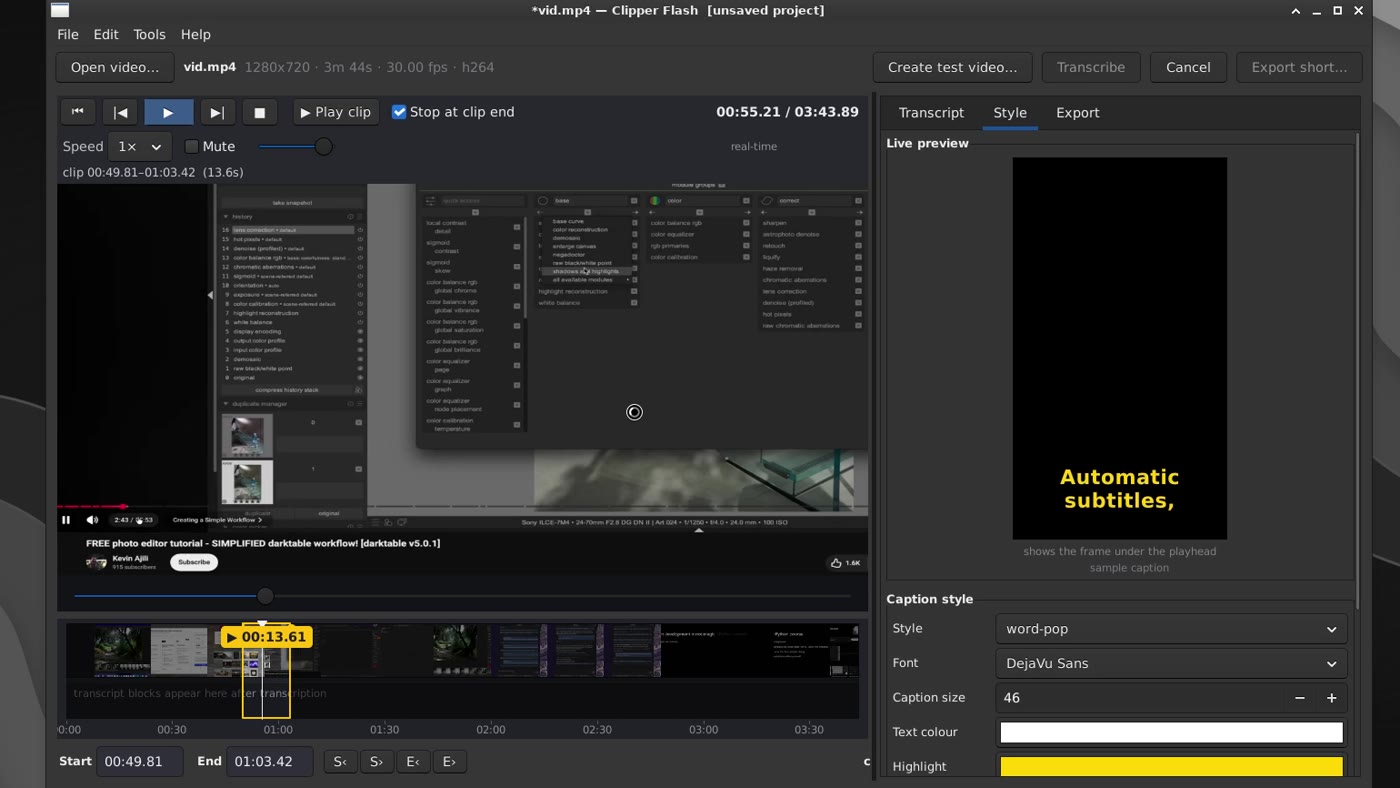
Six bug reports and an hour and forty-five minutes later, I had a working app.
And the bill? $0.62, almost exactly what V4 Pro cost. Per token, Flash is three to seven times cheaper, but it burned 93.7 million tokens where Pro used 13.9 million.
Test 2: a real spec
So is Flash just worse? That would be the easy conclusion. But look at what it did: it took a short prompt and filled every gap with its own ideas.
So the second time, I left no gaps. I wrote a spec: what the app does, the rules for the agent, the stack and the layout. Here it is, verbatim:
Build a Shorts Clipper with wxPython. A native desktop app where the user can load a long form video and export a vertical short from a selected range. The application should automatically transcribe the spoken words from the original video and burn the subtitles into the exported short. The text should be white with karaoke coloring for the currently spoken word (yellow).
Do not build features not described in this spec. Build only what is necessary. The app should be simple and functional. Do not build too many tests. Do not go on tangents. Build quickly and efficiently.
The stack:
- Python and venv
- wxPython from system packages
- gstreamer or mpv for video playback
- ffmpeg with libass for export
- whisper for transcriptions (with model auto download)
UI Layout:
- a simple desktop app with a clean layout. Open video, Transcribe and Export buttons on the top. Then the progress bar (full window width) used for long running tasks like transcription and exporting
- then the original video preview with the transcript preview on the right (a table with Start, End and Text. The user should be able to correct the auto transcript by double clicking a given line and editing it)
- below the video view we should have the playback control buttons and then the timeline with clearly marked In and Out points that the user can drag. There should be a playhead which is also draggable
- below the Transcript section we should have Export Settings where the user can select between Blurred Background (fit the video in the center) and Center Crop (fill)
One prompt, no follow-ups, about an hour. The final app matched the spec, and almost exactly the layout V4 Pro built. 1,242 lines of code, and $0.17.
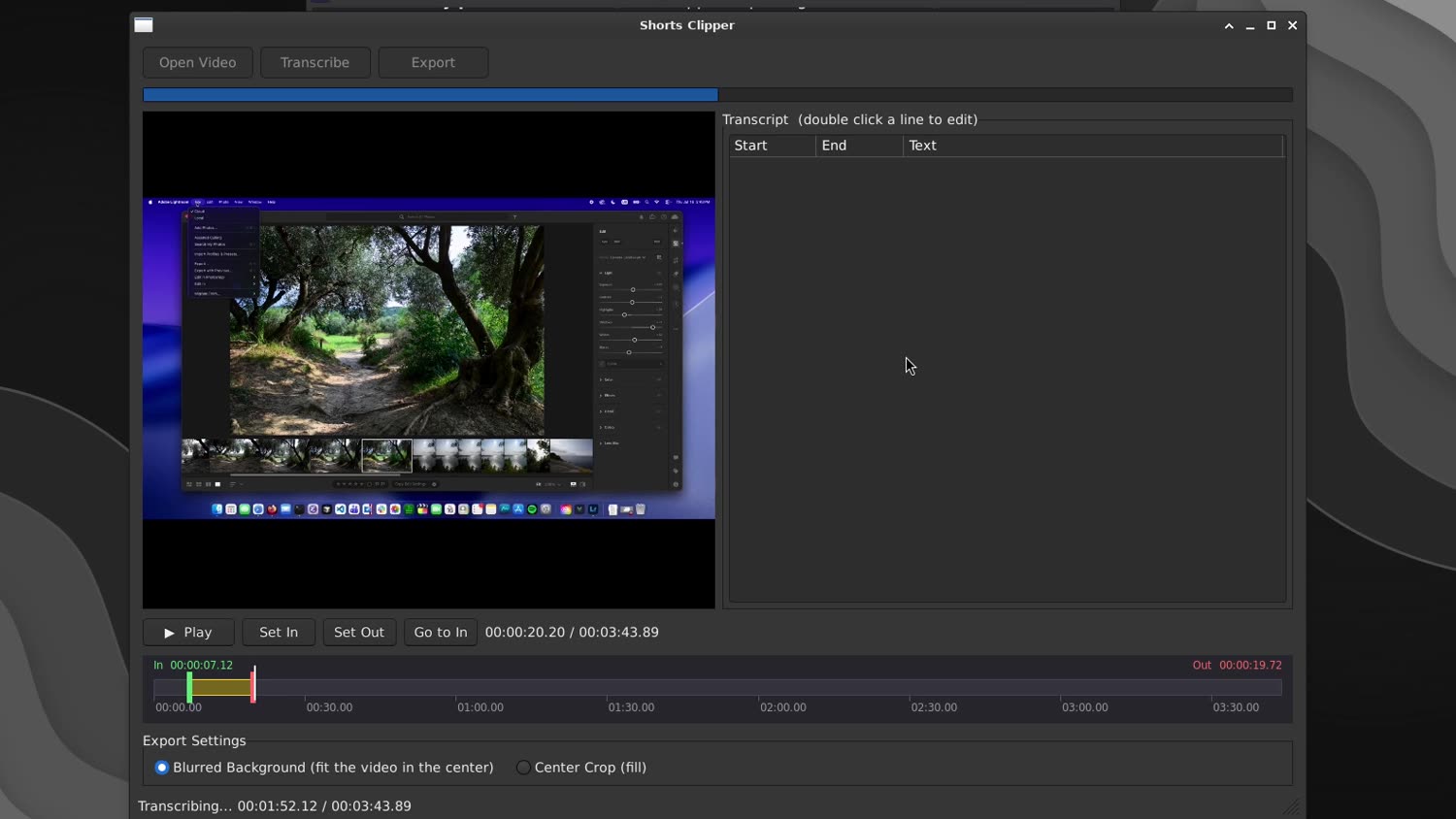
Let me be honest: it still over-tested. It built a GUI test harness, a 19-check smoke test and 10 unit tests, and spent a big chunk of that hour driving the app on my screen. Pretty cool to watch, but not exactly in line with my prompt. The upside is that its own testing found every critical issue before I even opened the app, including a stale-frame bug it proved with a red, green and blue test video after a weaker check had passed.
The numbers
| V4 Pro | V4.1 Flash, same prompt | V4.1 Flash, spec | |
|---|---|---|---|
| Time to a working app | ~1 h | ~1 h 45 min | ~1 h |
| Code | 1,519 lines | 7,430 lines | 1,242 lines |
| Tokens | 13.9M | 93.7M | 17.4M |
| Cost | $0.65 | $0.62 | $0.17 |
| My input after the prompt | 1–2 follow-ups | 6 bug reports | none |
Faster, smarter, cheaper?
Faster? Not for me. It might be faster to reply, but benchmarks and metrics don’t ship software. With the same prompt it was much slower than V4 Pro. With a spec, the times were equal.
Smarter? Yes, if you know how to talk to it. It won’t fill in the gaps for you, and it loves to overengineer, which is kind of funny for a model named Flash. Imagine asking it for a small script that moves some files around, and getting 100 tests and inter-process communication for headless testing.
Cheaper? Yes, decisively. A similar app for about a quarter of the cost.
The limits of this test
This is one app, built three times. It’s not a benchmark. The times include the model waiting on its own test runs. And Gritcode is my own harness, so the harness is a variable I control, not a neutral one.
What I’d do next
Half of my spec wasn’t about the app. It was rules: build only what’s asked for, no tangents, not too many tests. Rules like that can live in the harness, so my prompts can stay short. That’s my next experiment with Gritcode.
V4.1 Flash doesn’t suck. It’s a different tool. For the way I usually work, short prompts and figuring it out as I go, I’m keeping Pro. When I know exactly what I want, Flash is the best deal DeepSeek has.