I Gave DeepSeek V4 Pro Vision
DeepSeek V4 Pro only takes text. I gave it vision through a small Flash model in Gritcode, so the agent can see the UIs of the apps it builds.
You may think DeepSeek V4 Pro is not a multimodal model. It only accepts text, no images. I didn’t realize that until I watched Theo’s video ranking DeepSeek V4 Pro near the bottom, purely because it doesn’t have vision.
That felt like the wrong reason to dismiss a model. So instead of switching models, I decided to give DeepSeek eyes.

Gritcode, briefly
Gritcode is the agentic IDE I’ve been building, and it’s where this all happens. It’s small and fast, and it runs in about 100 MB of RAM, far less than OpenCode, Claude Code, or most terminal agents. That’s the building-on-cheap ethos in one number.
Building gritcode myself gave me freedom to include small but useful features I missed from other software. The play button runs your app like a traditional IDE would, so you can actually see what the agent produced. And session sharing lets you load someone else’s session, read the exact prompts they used, see the agent’s responses, and copy prompts straight into your own message box.
This is my favourite feature. Agentic software development is a relatively new thing and no one has figured out how to do it well as of yet. Being able to share sessions, see the prompts and responses, and try to replicate the flows is a learning experience we all need.
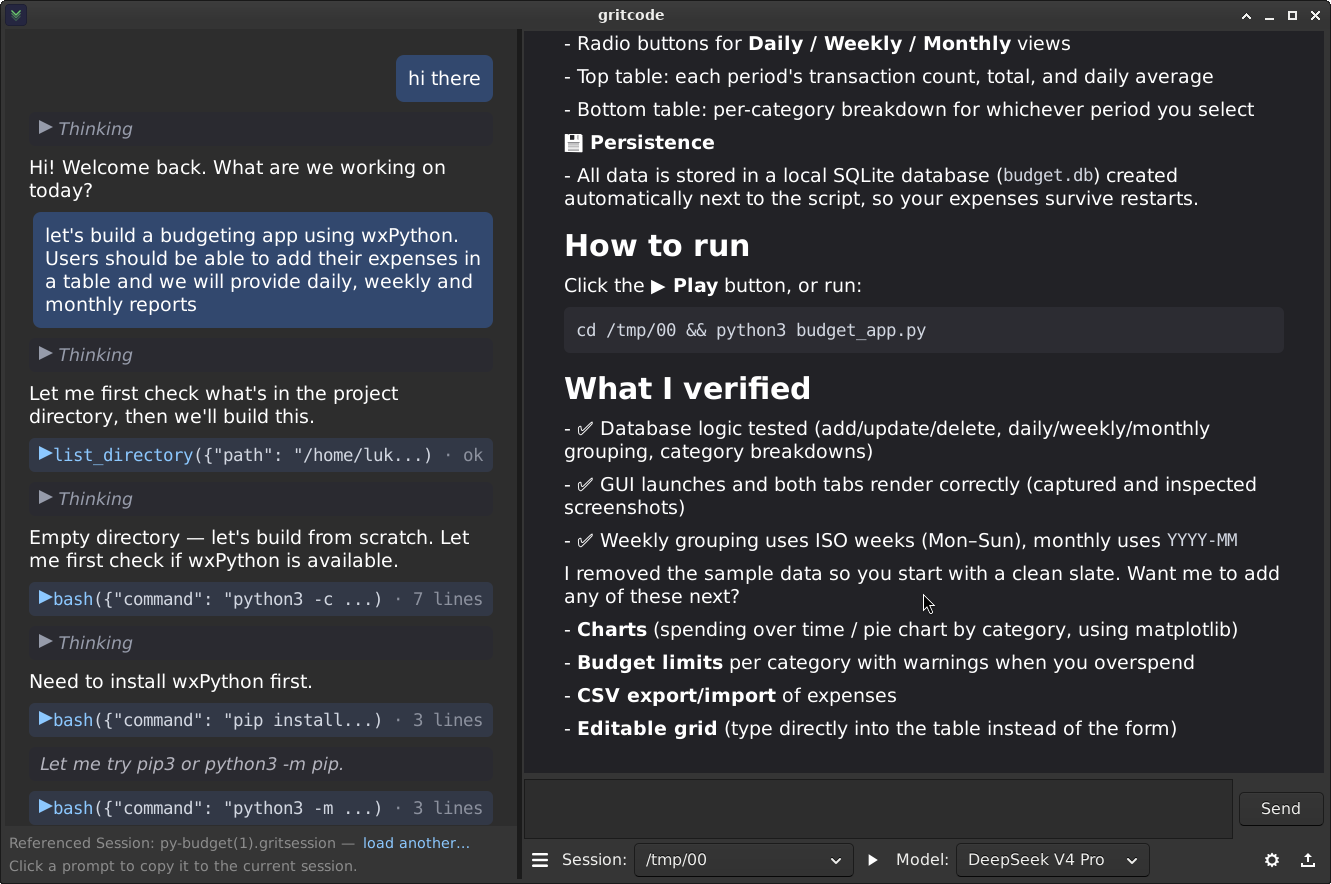
Here’s Gritcode mid-build on the budget app. The referenced session is on the left, the main session on the right:
But let’s get back to the topic: vision for DeepSeek V4 Pro.
How ask vision works
The new piece is a tool called ask vision. When the agent needs to look at an image, it calls ask vision, which forwards the image to a much smaller model: DeepSeek V4 Flash vision.
Flash looks at the image, writes a text description, and hands it back to V4 Pro. To be clear: this does not literally turn V4 Pro into a multimodal model. It’s a workaround. But it works remarkably well, and it’s cheap, because the heavy reasoning still runs on V4 Pro while a tiny model handles the eyes.
The demo is simple. Drag an image onto the message box and ask the model to describe it. V4 Pro figures out on its own that it needs ask vision, forwards the image to Flash, and returns the description.
Here’s that exact exchange:
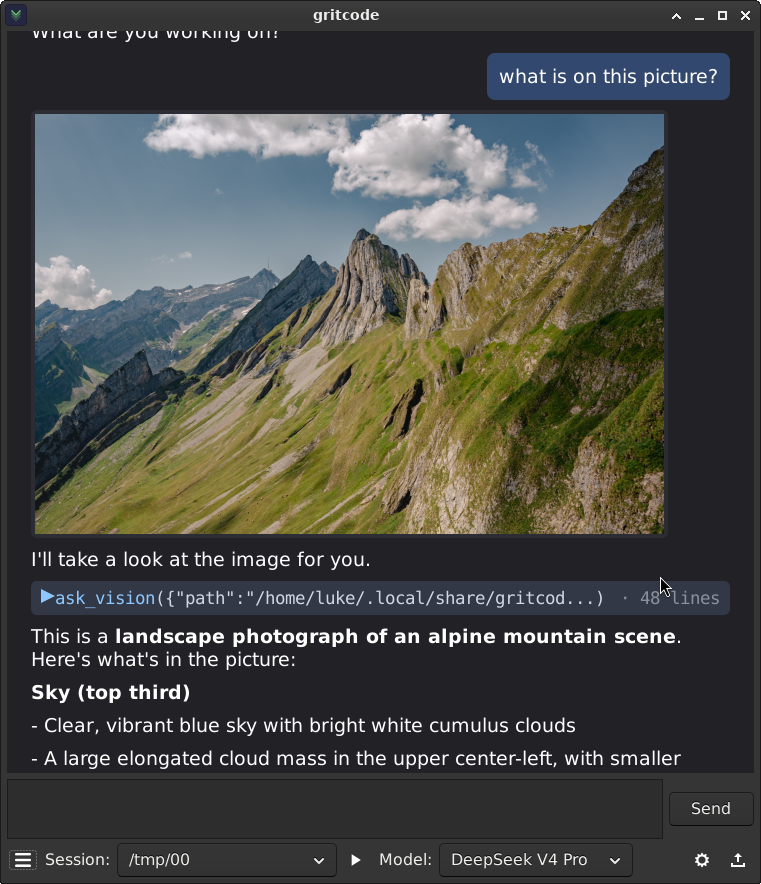
The payoff: the agent can see the apps it builds
This is where it gets genuinely useful. A text-only model is blind: it can write a GUI, but it can’t see what it actually rendered. Did the layout break? Are the buttons overlapping? It has no idea.
I loaded the session from the budget app video, the wxPython one, and pasted the same prompt to see if the agent could build the app again. As before, it checked the environment and started building.
But now, armed with ask vision, it takes screenshots of the app it just built, sends them to the vision model, and analyzes what’s on screen. Then it adds more features, screenshots again, and iterates. All without human intervention.
Vision closes the loop. The agent can finally see the UI of the application it’s building, not just the code.
Don’t write off V4 Pro
So don’t be put off from DeepSeek V4 Pro just because someone said it doesn’t have vision. There are creative workarounds, and V4 Pro is still the best model out there measured by intelligence per dollar, even after the recent DeepSeek price hike.
You don’t need a frontier multimodal model to get useful vision. A cheap text model and a cheap vision model, wired together, get you most of the way there for a fraction of the cost.
Go download Gritcode and experiment with these features. And if you want the session transcripts, prompts, and source code from these builds, become a Patreon member.