Why I Created Gritcode — An AI Coding IDE That Costs Pennies, Not Hundreds
Cheap tokens, cheap laptops, and the end of the CS gatekeeping era.

I was first exposed to AI coding when ChatGPT launched a few years ago. I made a short on my channel — ChatGPT building a simple wxWidgets app — and even then it was mind-blowing. A machine writing real C++ GUI code from a plain English description. It felt like a party trick that might someday be useful.
Fast forward to early 2026. Claude Opus 4.5. I was genuinely stunned — it reasoned about architecture, debugged subtle issues, wrote entire features from a paragraph. Watching it build a functional video editor with OpenGL, Dear ImGui, and libav was an eye-opening experience. I documented that journey live on stream so that nobody can deny it can build useful, complex applications without any manual coding.
But Opus 4.5 was the top frontier model at the time. The cheap models were noticeably worse. There’s no way early-2026 DeepSeek or Kimi could build something like that.
Now things have changed.
DeepSeek V4 costs a tiny fraction of what Opus 4.5 costs. But here’s the thing — it’s not worse. For daily coding work, it matches or exceeds what the premium models could do in early 2026.
And even comparing DeepSeek V4 Pro with current Claude 4.8 or even frontier Fable 5, the difference is surprisingly small. Yes, it requires more babysitting, tighter prompt loops, gets lost more easily, and does stupid things… but frontier models are capable of extreme stupidity as well.
Frontier models may make you facepalm less often, but damn — those facepalms do get expensive!
Monthly Claude subscription costs $200. This is already a lot, and it’s quite easy to hit the daily and weekly limits, so $200/month is not enough to do meaningful development with AI.
You also have to remember that Claude’s monthly membership is heavily subsidized by Anthropic. Theo estimates a similar amount of tokens through the API would cost thousands of dollars.
Compare that to DeepSeek V4 pricing, where a full day of coding can cost pennies. I topped up my DeepSeek account with $50 a few months ago and still have more than $40 left.
Building on Cheap: The End of Expensive AI Coding
So — tokens are cheap now and open models can build real software. But that’s just part of the story: you also need a harness, a piece of software that lets you talk to the model and lets the model access your computer, execute commands, find files, etc.
This is where things start to get interesting.
Anthropic and OpenAI offer their own software agents (Claude Code and Codex). There’s also OpenCode — a similar thing but with open architecture, allowing you to choose between different models.
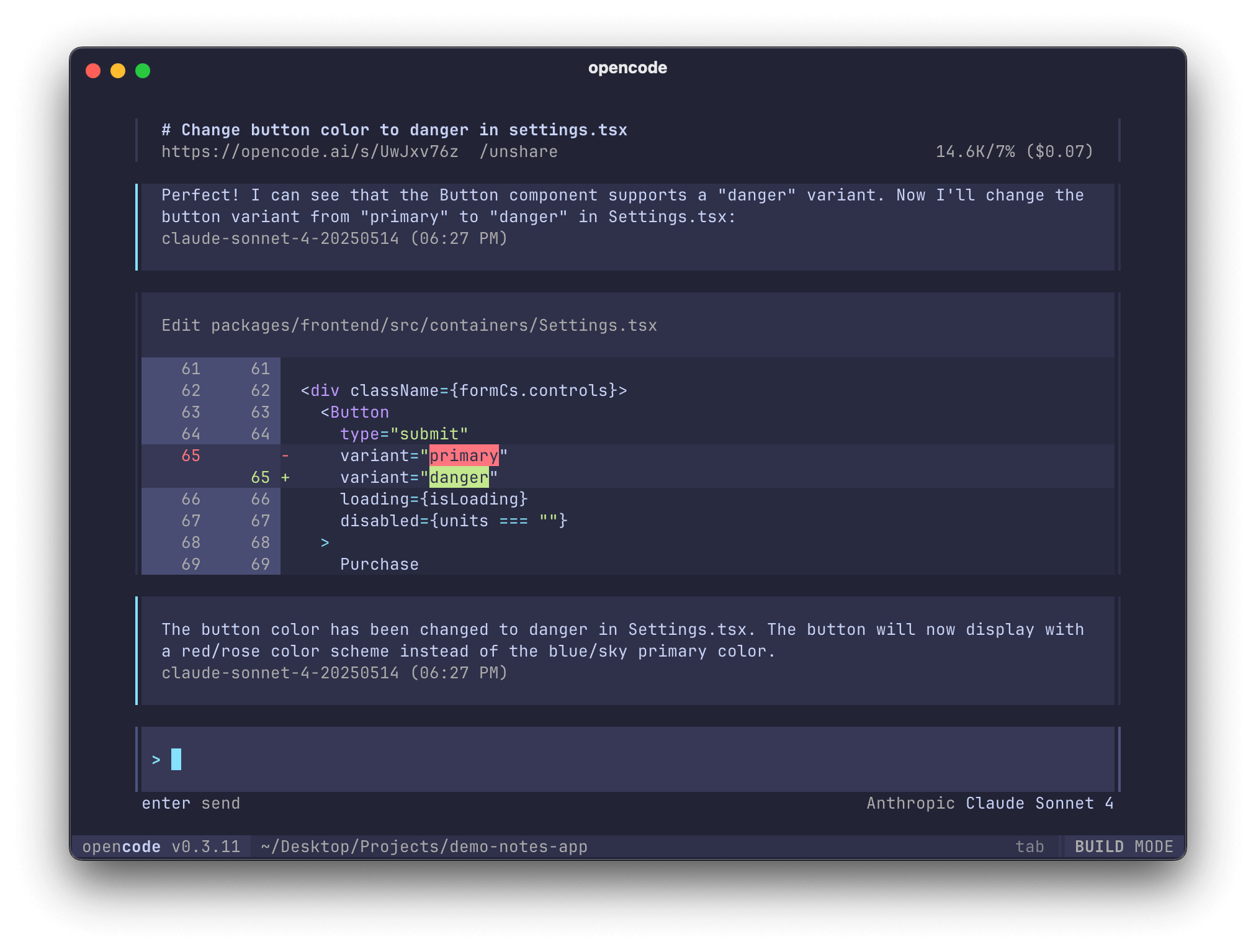
The problem with all this software is that it’s all just Electron bloat. I was shocked to discover that a simple CLI tool like Claude Code or OpenCode is really a TypeScript React application, using hundreds of megabytes of RAM. For a command line tool!
As developers, we kinda accepted that we need top-tier hardware to do programming. 64GB of RAM, newest Intel processor, or a topped-up MacBook Pro. Software got so crappy that nobody even questions it.
But this should not be reality. We do not need bloat in our software. We do not need crazy expensive tokens. A 10-year-old $250 ThinkPad with 8GB RAM running Ubuntu and a few dollars per month in tokens should be enough to build real software.
Gritcode: A Native AI Coding IDE
That’s why I created Gritcode. A simple harness, running as a GUI app. No bloat, no Electron, just a C++ app using native toolkits on Mac and Linux (GTK3) via wxWidgets, letting you access the extremely cheap but powerful DeepSeek V4 Pro (via your own DeepSeek API key), working seamlessly on cheap laptops. Wherever Ubuntu runs, you can use Gritcode comfortably.
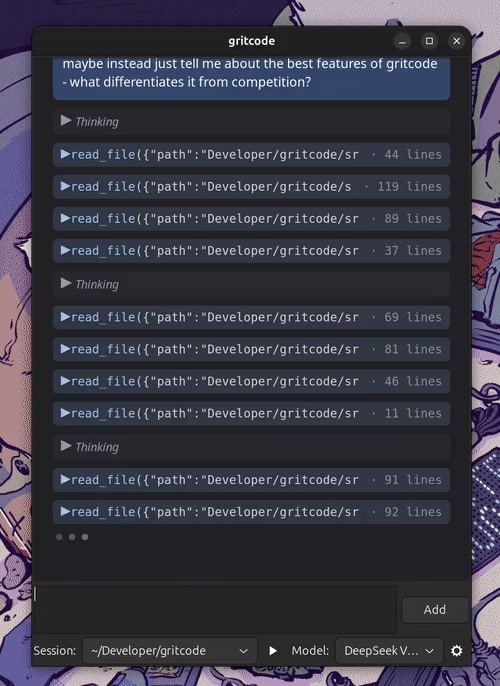
This is still in the Alpha stage, so feel free to go to the website, download and test the app, and report any issues you find on GitHub.
The idea is to develop it into a next-generation IDE where your focus is not on manually editing or reviewing code, but on making prompt loops more efficient, understanding the high-level architecture the AI is building, managing requirements and tracking project progress, and so on.
For now, the flow is simple:
- Set up the app by clicking the gear icon and pasting your DeepSeek API key (stored securely in your system’s keychain),
- Create a new session by selecting a project folder from the Session dropdown,
- Select “DeepSeek V4 Pro” as your model,
- Tell the model what kind of project you want created,
- Click the play button — this prompts the model to generate shell commands to build and run the project,
- Continue iterating. Ask the model to modify the software in the direction you want, then click the play button. Once the button is configured, the run commands do not go through the API loop — they are simply executed by the shell.
There are more features to come. Make sure you are subscribed to the newsletter (the form is at the top of the blog). Also consider my YouTube and Patreon channels.