If you encounter an error message saying “Could not load a pixbuf from icon theme” on Linux, note that it might be just a VSCode error.
As explained in my Menus video (the “Problems with Icons on Linux” chapter), this error may occur when using the default system icons, for example when using submenus and option items in the main menu.
Running a simple menu application from VsCode results in weird icons and the mentioned error message.
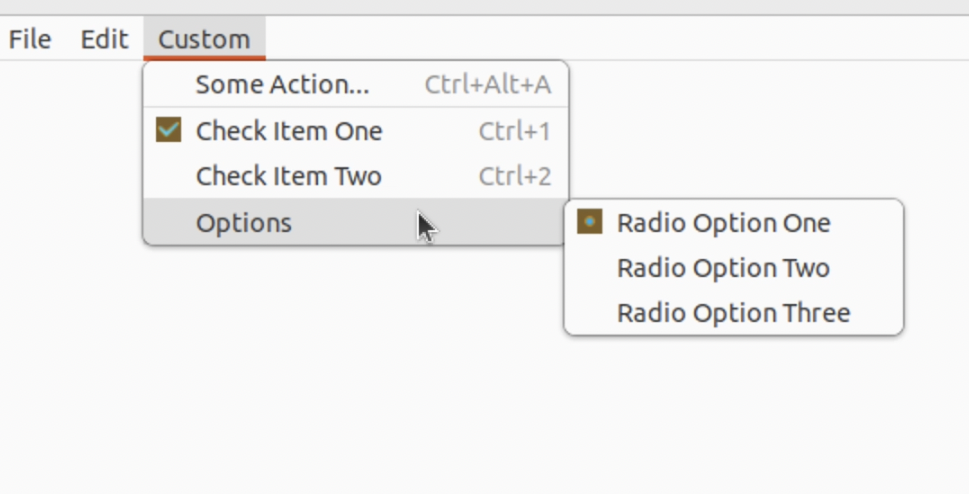
Messed up menu icons
The simple solution is to run the program from the command line, not VsCode. The error disappears, and the icons look correct.
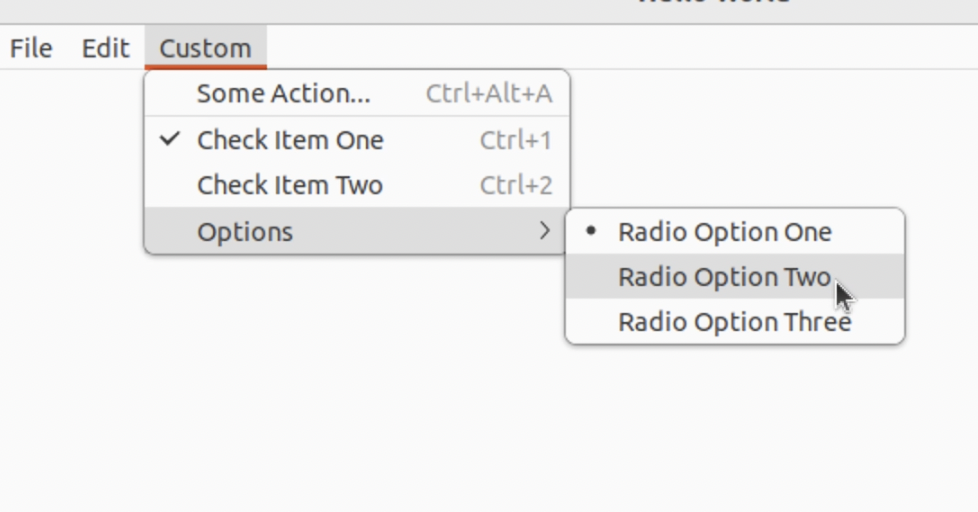
Icons when running the app outside VsCode
The issue with VsCode is that the editor sets some GDK environment variables that prompt the GTK library to search for the default icons in the wrong directory.
Conclusion
Unfortunately, this bug is not yet fixed. If you’d like to speed up the process, consider upvoting the GitHub issue.
Or run your Linux app from the command line, as this is the only workaround at this point.
For the full menus tutorial including context menus and accelerators, see How to use Built-in Dialogs in wxWidgets.